Mini Shell
Glucose control is an essential part of living a healthy life for people with diabetes.
Monitoring blood sugar levels helps you make better choices about diet, medication, and lifestyle.
Fortunately, technology is making this process easier and more convenient than ever before, thanks to mobile apps.
Discover below how glucose control apps work, what the best available apps are, and how to measure glucose with these tools, all to make life easier for those who need to monitor their blood sugar levels.
How Glucose Control Apps Work
Glucose control apps are designed to help people with diabetes monitor and manage their blood sugar levels.
They function as personal assistants, allowing you to record your glucose measurements, view trends, and receive insights into your glycemic control.
Most of these apps allow you to manually enter your glucose values or connect a compatible glucose meter to import data automatically. In addition, they offer features such as:
- Food logging: You can record your meals and snacks, which helps you understand how food affects your blood sugar levels.
- Notes: Make notes about physical activity, symptoms, or situations that may affect your glucose.
- Charts and trends: Apps typically feature charts that show how your blood sugar levels vary over time, making it easier to identify patterns.
- Reminders: You can set reminders for regular measurements, medication, or doctor’s appointments.
- Data sharing: Some apps allow you to share your records with your healthcare team, making it easier to track your treatment.
Which Glucose Control Apps Are Available?
Here are some of the leading glucose control apps available today:
- MySugr: Fun and motivating, it turns glucose control into a game. It offers challenges and rewards to keep you engaged. It also has a free version and a paid version with additional features.
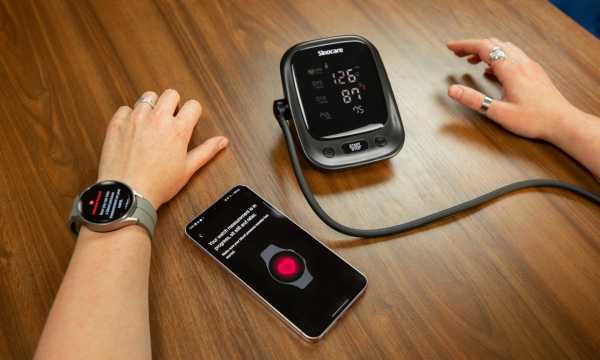
- FreeStyle LibreLink: This is an essential app for people with diabetes. It works with the FreeStyle Libre sensor, allowing you to check your blood sugar levels on your smartphone, avoiding finger pricks.
- Blood Glucose Tracker: This is an easy-to-use tool for recording measurements, creating charts, and even adding information about meals and exercise. It is a valuable help for anyone looking to better control their diabetes and share data with healthcare professionals.
How to Measure Glucose with These Apps
Measuring glucose with these apps is simple:
- Download: First, download the chosen app from your phone’s app store and follow the installation instructions.
- Register: Create an account in the app, if necessary, and enter your personal information, such as age, weight, and type of diabetes.
- Record Your Measurements: After setting up the app, you can start recording your data and glucose measurements. Enter the values manually or connect your compatible glucose meter to import the data automatically.
- Track: Use the app’s features to track your glycemic trends, record meals, medications, and physical activity. This will help you understand how your body responds to different factors.
You May Also Like
Glucose control apps are powerful tools that can simplify diabetes management and improve the quality of life for people living with the condition.
However, it is important to remember that, while these apps are helpful, they do not replace medical care.
Always consult your healthcare professional for specific guidance on glucose control and diabetes treatment.
With the proper use of these tools, you can be better prepared to face the challenges of diabetes, achieve better glycemic control, and maintain your quality of life.